
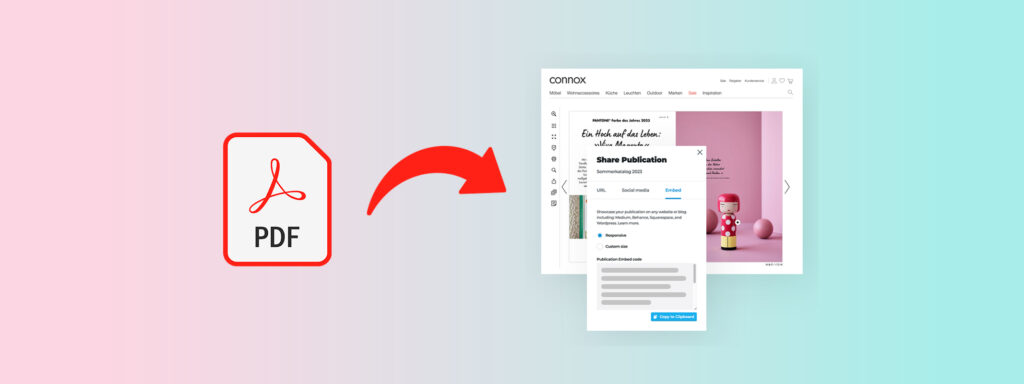
Digital documents still power everyday business. Product catalogs, reports, training guides, and sales materials are often shared as PDFs because they are familiar and easy to create.
The problem is that most PDFs are designed to be stored, not actively used.
Once they are sent, teams lose visibility into whether anyone reads them, how they are navigated, or which sections actually matter.
As more content is consumed on mobile devices and through links rather than downloads, these limitations become harder to ignore.
Slow navigation, poor readability, and the absence of measurable engagement reduce the effectiveness of otherwise well-produced documents.
And when documents are expected to drive decisions or action, these gaps quickly become a real problem.
This article examines the reasons for converting a PDF to a flipbook, when conversion adds real value, what changes when a PDF becomes interactive, and when keeping a document static still makes sense.
Why Static PDFs Struggle in Digital-First Environments
Static files remain useful for archiving and formal records, but they show limits in active digital use. This matters when documents are expected to inform, guide, or influence decisions over time.
- Limited interaction: Readers can scroll or zoom, but there is no built-in support for navigation cues, embedded media, or guided reading paths. This reduces attention and comprehension for longer documents.
- Poor adaptability across devices: PDFs often render inconsistently on mobile screens, forcing excessive zooming and horizontal scrolling that interrupt reading flow.
- No insight into usage: Once a PDF is shared, it is difficult to know whether it was opened, how far it was read, or which sections mattered most.
These constraints highlight common reasons teams convert PDFs into flipbooks when documents are expected to support active digital use.
What a Flipbook Changes (Beyond the Page-Flip Effect)
A flipbook is a browser-based, interactive document format that can preserve the layout of a PDF while adding structure, controls, and web-native functionality. It is designed for reading and navigation on screens rather than for downloading or offline storage.
Older flipbooks simply replicated the page-turning experience, while modern versions extend the document with tools that support real use and measurement.
- Navigation and search tools: Thumbnails, tables of contents, page search, and internal links allow readers to move directly to relevant sections.
- Interactive overlays: Clickable links, video, forms, and callouts can be layered onto pages without redesigning the source file.
- Responsive viewing: Content adapts to desktop, tablet, and mobile screens for consistent on-screen reading.
- Browser delivery: Flipbooks open through a shareable link with no downloads or plugins required.
- Optional analytics support: More advanced flipbooks can track views, time spent, page-level engagement, and secured with password access, going beyond visual presentation alone.
Taken together, these features clarify the difference between a PDF, a basic page-flip viewer and a flipbook designed to function as an interactive, web-native document.
Reason #1: Improved Engagement Compared to Static PDFs
Engagement determines whether information is understood or abandoned.
Static PDFs place the burden on the reader to manage scrolling, zooming, and orientation, which interrupts attention.
Flipbooks reduce this friction by structuring how content is consumed.
- Readers always know where they are: Page-by-page progression and visible page counts make long documents easier to follow.
- Interaction feels purposeful instead of manual: Navigation controls and internal links guide movement without forcing constant scrolling or zooming.
- Reading requires less effort: A screen-optimized layout removes common distractions that pull attention away from the content.
Together, these differences explain why flipbooks tend to hold attention more effectively than static PDFs when documents are meant to be read.
Reason #2: Stronger Content Discovery and Navigation
Finding information quickly often matters more than reading everything in order. Static PDFs make this harder by relying on scrolling and manual page scanning, especially in long or dense documents. In flipbooks:
- Readers can jump directly to what they need: Search and clickable navigation remove the need to scroll through entire sections.
- Structure is visible instead of hidden: Tables of contents and thumbnails show how information is organized.
- Related information is connected: Internal links reduce the time spent retracing steps or searching across pages.
These differences make navigation and discovery a clear advantage of flipbooks over static PDFs.
Reason #3: Measurable Reader Behavior and Performance Insights
Knowing how a document is used changes how its effectiveness is judged.
With static PDFs, usage is mostly invisible after sharing, which makes improvement guesswork rather than analysis.
Flipbooks change this by delivering content that can capture interaction data.
- Which pages are actually read becomes visible: Page-level tracking shows where readers spend time instead of assuming full-document engagement.
- Drop-off points are clearly identified: Exit and progression patterns indicate where attention declines or content becomes unclear.
- Improvements can be based on evidence: Usage data supports changes to structure, order, or emphasis without guesswork.
This ability to observe real reader behavior is one of the core advantages of flipbooks over PDFs.
Reason #4: Easier Distribution Across Digital Channels
How a document is shared directly affects how widely and consistently it is used.
Static PDFs rely on file transfers and downloads, which creates friction and version confusion as documents move across channels.
Flipbooks are distributed as web links, which changes how easily content travels.
- One link works everywhere: A single URL can be shared through email, messaging tools, and websites without format changes.
- Access is consistent across devices: Browser-based viewing avoids issues tied to operating systems, apps, or file versions.
- Sharing does not create duplicate files: Link-based access avoids multiple saved copies circulating across teams and channels.
This delivery model explains why flipbooks are often preferred when documents need to be shared repeatedly across digital channels.
Reason #5: Faster Updates Without Recreating the Entire Document
Product details change, pricing is updated, and instructions evolve. In static PDFs, even small edits often require regenerating files and redistributing them, which slows updates and creates outdated versions in circulation. When you transition into using a flipbook:
- Edits are applied to a single source: Changes are made once and reflected everywhere the document is accessed.
- Updates do not disrupt the original layout: Interactive elements and links can be modified without rebuilding the entire file.
- Outdated versions are reduced: Readers always access the current version through the same link.
This approach makes it easier to keep information accurate over time without repeating the full production process.
Reason #6: Stronger Brand Presentation Without Redesigning Content
Static PDFs are displayed differently depending on device, viewer, and settings, which can unintentionally dilute brand consistency. Flipbooks present documents within a controlled viewing environment.
- The document is seen as intended: Page flow, spacing, and progression are maintained regardless of screen size or device behavior.
- Brand context stays attached to the document: The document is presented within a consistent interface instead of being separated as a standalone file.
This level of control explains why flipbooks are often used to maintain brand consistency.
Common Misconceptions About PDF-to-Flipbook Conversion
Uncertainty about effort, control, and outcomes often prevents teams from testing alternatives to static PDFs. These misconceptions usually come from equating flipbooks with novelty viewers rather than functional document formats.
- Flipbooks are only visual enhancements: Many assume conversion only adds a page-turn effect, when in practice the value comes from navigation, measurement, and controlled delivery.
- Flipbooks remove control over distribution: In reality, link-based access can reduce uncontrolled file sharing compared to downloadable attachments.
- Flipbooks are unsuitable for serious content: Reports, training materials, and sales documents often benefit more from structured reading than from static files.
Addressing these assumptions helps teams evaluate conversion based on how documents are actually used, not how they are traditionally shared.
When Converting a PDF Into a Flipbook Is the Right Choice (And When It Isn’t)
Not every document benefits from conversion. Context determines whether the reasons for converting a PDF to a flipbook apply.
- Strong candidates: Catalogs, reports, training materials, and sales documents benefit from navigation, measurement, and easy sharing.
- Less suitable cases: Legal records, offline archives, and static compliance files are better kept as PDFs.
This balance helps frame when converting a PDF to a flipbook delivers practical value.
How to Convert a PDF Into a Flipbook
Converting a PDF does not require rebuilding the document. The process focuses on preparing existing content for web-based reading and distribution.
- Upload the PDF to a flipbook platform: The original file is used as-is, preserving layout, pagination, and visual structure.
- Configure navigation and interactive elements: Page navigation, links, and optional overlays are added to improve on-screen use.
- Publish and distribute via a link: The flipbook becomes accessible through a browser and can be shared across digital channels.
This approach keeps the source document intact while enabling structured navigation, controlled access, and performance tracking.
In some cases, teams choose to go further by creating a digital-first flipbook rather than converting an existing file.
This approach allows content to be structured specifically for screens, optimized for navigation from the start, and designed with measurement, updates, and reuse in mind.
It is most valuable when the document is expected to evolve, support ongoing engagement, or function as a primary digital asset rather than a static deliverable.
Turn PDFs Into Measurable Content With Publitas
Documents are often expected to inform, persuade, and support decisions long after they are shared. Converting PDFs into flipbooks makes documents easier to read, easier to share, and easier to evaluate.
Publitas supports this shift by allowing teams to transform existing PDFs into web-based flipbooks with structured navigation, consistent presentation, and built-in usage insights.
Because the original document remains intact, teams can improve how content performs without rebuilding or redesigning it. This makes Publitas especially useful for organizations that rely on catalogs, reports, and sales or training materials as active digital assets.
Used thoughtfully, flipbooks help documents move from static files to measurable content. Publitas provides the infrastructure to make that transition practical, controlled, and repeatable across teams and channels.
Explore how Publitas helps teams turn static PDFs into measurable digital documents.
FAQs
Why do teams choose flipbooks over static PDFs for active documents?
Flipbooks are often chosen when documents need to be read, navigated, and revisited over time. Improved navigation, structured reading, and visibility into usage help teams understand how content actually performs rather than assuming it was consumed.
Does converting a PDF into a flipbook affect SEO?
Flipbooks can support SEO when content is accessible, indexable, and linkable. This consideration often appears when teams evaluate why converting a PDF into a flipbook makes sense for web use.
Are flipbooks better than interactive PDFs?
Flipbooks are typically better for web delivery, analytics, and centralized updates. These differences reflect common advantages of flipbooks over PDFs in ongoing use.
Can I convert existing PDFs without redesigning them?
Yes. Most tools preserve layout and add interaction layers, which is a key item among the reasons for converting a PDF to a flipbook.
What types of content benefit most from being turned into a flipbook?
Marketing materials, reports, catalogs, and training documents benefit most due to their need for engagement and measurement. These use cases align with the practical benefits of interactive flipbooks.
