
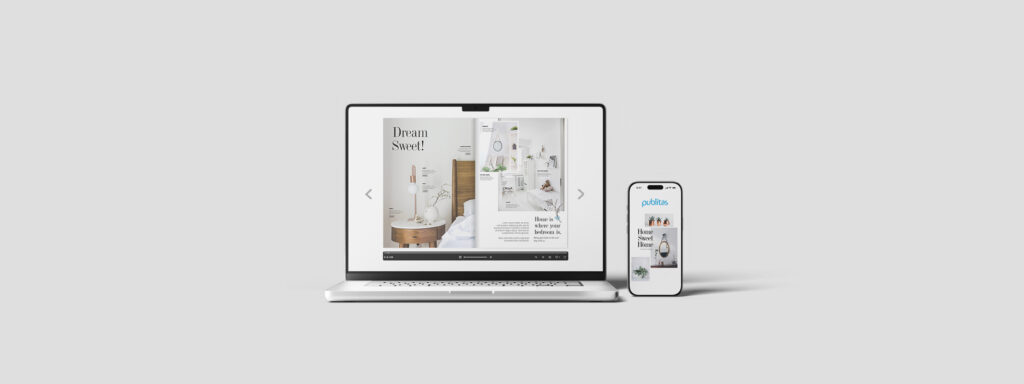
Flipbook design best practices are often overlooked, which is why many flipbooks struggle to deliver meaningful engagement. Print-led layouts, decorative page-turn effects, and dense content structures create friction for users who expect fast scanning, intuitive navigation, and mobile-friendly experiences.
Applying flipbook design best practices shifts the focus from visual replication to functional performance. By designing flipbooks as digital interfaces with clear structure, purposeful interactivity, and responsive layouts, teams can support how users actually browse, evaluate, and act on content.
This guide explains how to apply flipbook design best practices to improve usability and measurable outcomes.
Why Flipbook Design Matters for Engagement and Performance
Flipbook design matters because it turns static documents into interactive, trackable web experiences that are easier to explore and optimize. By combining visual structure, multimedia, and analytics, flipbooks hold attention more effectively than traditional PDFs while giving teams clear insight into how content performs.
Additionally, well-executed flipbook UX best practices do the opposite. They drive engagement through intuitive navigation, embedded media, and responsive layouts that work seamlessly across devices. At the same time, they support performance by enabling analytics, lead capture, consistent branding, and fast distribution, helping teams update content easily, reduce production costs, and improve results through data-driven optimization.
Core Principles Behind Effective Flipbook Design
Strong flipbooks are built on a small number of principles, not a long list of features. These principles guide every design decision, from layout to interaction density. Understanding these fundamentals ensures that flipbook design best practices are applied consistently.
1. Start with a Clear Purpose and Audience
Effective flipbook design starts with a clearly defined purpose. Each flipbook should support a specific goal, such as inspiring browsing, enabling product comparison, or educating an audience. Without this clarity, visual and interactive elements risk becoming decorative rather than useful.
High-performing flipbooks align layout, animation, interactivity, and content flow to a single audience mindset. Decisions about pacing, visual hierarchy, and media use should help users absorb information efficiently and move toward a clear next step.
Key questions to define early:
- What decision is the user trying to make?
- What information do they need before moving forward?
- What action should follow the last page?
2. Design for Digital-First Consumption
Print-first layouts rarely perform well on screens. Digital flipbook design best practices assume scanning, tapping, and flexible navigation across devices rather than linear page turning. Motion should feel smooth and intentional, using consistent progression and controlled pacing.
Digital-first design prioritizes:
- Responsive grids instead of fixed spreads
- Vertical rhythm over horizontal symmetry
- Readability at arm’s length on mobile
Designing for digital consumption means treating the flipbook as an interactive interface, not a static document. Additionally, teams that apply flipbook design best practices at scale typically rely on a purpose-built flipbook maker that supports responsive layouts, interactive elements, and performance tracking without imposing print-first constraints.
Layout and Visual Design Best Practices
Flipbook design best practices prioritize clarity, hierarchy, and consistency across every page. Below are key principles to guide effective visual design.
1. Use Clean, Consistent Page Layouts
Consistency reduces cognitive load. When users understand how a page is structured, they spend less time orienting and more time engaging.
Effective layouts:
- Use minimal, uncluttered structures with sufficient white space
- Reuse predictable content blocks and page templates
- Keep navigation elements, logos, and page controls in consistent positions
- Adapt responsively across desktop, tablet, and mobile devices
Organizing content with headings, subheadings, and bullet points also improves scannability and supports a logical reading flow.
2. Balance Visual Impact with Readability
Strong visuals attract attention, but readability sustains it. Flipbooks overloaded with dense imagery or decorative typography often underperform.
Best practice is balance:
- Using high-quality visuals that reinforce the message
- Maintaining a strong contrast between text and background
- Applying color strategically to highlight key information
- Choosing readable typography that scales well across screen sizes
A clear visual hierarchy helps users quickly understand what to focus on first, next, and last.
3. Image and Media Selection Guidelines
Images should reduce uncertainty, not just fill space. In digital flipbook design, every visual should answer a user question or support comparison.
Choose media that:
- Shows products or concepts in context
- Clarifies scale, detail, or usage
- Loads quickly to support smooth page transitions
Avoid low-resolution assets or generic stock imagery that adds visual noise without improving understanding.
Designing Interactive Elements That Add Value
Interactivity is only valuable when it supports decision-making. Poorly planned interaction creates friction instead of engagement. Flipbook design best practices treat interaction as a usability tool, not a novelty.
1. Choosing the Right Interactive Elements
Interactivity works when it shortens the path between curiosity and clarity. Trackable links, product hotspots, and embedded media should exist to answer what this is. Or what happens if I click?
High-impact interactive flipbook design tips include.
- Videos and GIFs to demonstrate products, explain concepts, or show movement where static images fall short
- Clickable links and CTAs that direct users to relevant product pages, resources, or follow-up actions
- Interactive navigation, such as clickable tables of contents, internal links, or search, to help users move efficiently through longer publications
- Pop-up images and galleries that reveal detail on demand without cluttering the main layout
- Forms, surveys, or quizzes to capture leads, collect feedback, or support learning within the flipbook itself
2. Avoiding Interaction Fatigue
Adding more interactivity does not automatically improve UX. Overloaded pages often slow decision-making and increase abandonment. Flipbook UX best practices emphasize restraint and clarity.
To avoid interaction fatigue:
- Limit the number of interactive elements per page
- Avoid overlapping or competing clickable areas
- Make interactive elements visually distinct and predictable
- Ensure all interactions load quickly and respond smoothly
When applied intentionally, interactivity enhances engagement and usability. When overused, it becomes friction.
Navigation and Flow Optimization
Navigation determines whether users continue exploring or abandon the experience.
Even strong content fails when the flow is unclear. Flipbook design best practices prioritize intuitive movement through content without instruction.
1. Logical Page Sequencing and Story Flow
Users rarely read flipbooks cover to cover. They skim, jump, and backtrack. Page order should still follow a logical progression that supports discovery. This structure mirrors natural decision-making patterns.
- Introduces context before detail.
- Groups related content together.
- Moves from inspiration to evaluation to action.
2. Clear Navigation Controls
Navigation should be obvious without instruction. If users need to think about how to move forward, the design has failed.
Best practices include:
- Visible next/previous controls
- Scroll-friendly navigation on mobile
- Optional table of contents for longer flipbooks
Responsive and Cross-Device Flipbook Design
Most flipbook traffic now comes from mobile and tablet devices. Mobile devices account for around 62% of global internet traffic, underscoring why flipbooks must be designed for touch-first, mobile behavior.
Design that works only on desktop creates immediate friction. Digital flipbook design best practices ensure usability across real-world device behavior.
1. Designing for Desktop, Tablet, and Mobile
Digital flipbook design must adapt seamlessly across screen sizes. What works on desktop often fails on mobile if not rethought. Responsive design considerations.
- Touch-friendly tap targets
- Scalable typography
- Vertical layouts that support thumb navigation
2. Testing for Real-World Device Behavior
Design assumptions often break in real environments. Testing across devices, browsers, and connection speeds is critical. Evaluate.
- Load performance on mobile networks
- Tap accuracy on smaller screens
- Readability in different orientations
Branding and Consistency Best Practices
Flipbooks are brand touchpoints, not standalone assets. Inconsistent design erodes trust and recognition. Flipbook design best practices ensure visual and tonal alignment across the entire experience.
1. Visual Brand Alignment
Flipbooks should feel like a natural extension of the brand ecosystem. Inconsistent fonts, colors, or tone undermine credibility. Brand-aligned flipbook design includes.
- Consistent typography systems
- Approved brand color usage
- Unified visual language across pages
2. Designing Flipbooks as Part of a Broader Content Ecosystem
High-performing flipbooks do not exist in isolation. They connect to websites, campaigns, and conversion funnels. Design should anticipate reuse.
- Pages that can be embedded or shared
- Visuals adaptable to other channels
- Messaging aligned with broader campaigns
Calls to Action and Conversion Design
Flipbooks often influence decisions before conversion happens elsewhere. This makes CTA design a strategic UX component.
1. Designing Effective CTAs Inside Flipbooks
CTAs work when they align with user intent at the right moment. Premature or aggressive CTAs are often ignored. Effective CTA design.
- Matches the user’s stage of discovery
- Uses clear, specific language
- Is visually distinct but not disruptive
2. Feedback and Engagement Signals
Users benefit from subtle feedback that confirms interaction. Hover states, tap responses, or visual confirmation reduce uncertainty. These micro-signals are often overlooked, flipbook design tips with meaningful UX impact.
- Reinforce usability
- Encourage continued exploration
- Improve perceived responsiveness
Measuring Flipbook Design Performance
Design decisions should be guided by evidence, not preference. Performance data reveals how users actually behave. Flipbook design best practices rely on measurement to drive iteration.
1. Key Engagement Metrics to Track
Data, not preference, should inform design decisions. Core metrics reveal how users actually interact. Track metrics including:
- Time spent per page
- Interaction and click-through rates
- Drop-off points and navigation paths
2. Using Performance Insights to Improve Design
Digital flipbook design best practices evolve through measurement. Optimization is iterative. High-performing teams test layouts, CTAs, and content structure over time. Use insights to:
- Refine page hierarchy
- Adjust interaction density
- Improve flow and sequencing
Common Flipbook Design Mistakes to Avoid
Many flipbooks fail for predictable reasons. These mistakes usually stem from treating flipbooks as static documents. Common violations of flipbook design best practices include:
- Technical and performance issues include uploading large, unoptimized files that slow load times, ignoring mobile responsiveness, and overlooking SEO basics such as searchable text and metadata. These mistakes limit reach and increase abandonment.
- Design and UX mistakes include overcrowded layouts, inconsistent formatting, low-quality visuals, poor typography, and excessive animations. Skipping testing or making interactions hard to find further frustrates users, while ignoring accessibility reduces usability for a wider audience.
Avoiding these mistakes improves clarity, performance, and overall flipbook effectiveness without requiring major redesigns.
When Flipbook Design Best Practices Apply and When They Don’t
Flipbook design best practices apply when your goal is to create a visually rich, interactive, and measurable online publication that supports browsing, inspiration, and guided discovery. They are particularly effective for marketing materials, catalogs, portfolios, and internal communications where visual structure, interactivity, and performance tracking help users explore content and move toward informed decisions.
They do not apply when core requirements prioritize security, offline access, or uninterrupted text-heavy reading. Flipbooks are less suitable for confidential documents, mission-critical offline use, accessibility-first scenarios, or long-form content where linear reading and deep focus matter more than interaction or visual presentation.
Conclusion: Designing Flipbooks That Perform, Not Just Impress
Effective flipbook design focuses on clarity, flow, and decision support. When flipbook design best practices are applied consistently across layout, interaction, navigation, and measurement, flipbooks become high-performing digital assets that guide users from exploration to action with less friction and stronger engagement.
With Publitas, teams move beyond static PDFs to create interactive, responsive flipbooks designed around real browsing behavior and measurable engagement. To see how Publitas supports digital-first flipbook workflows, book a free demo.
FAQs
What are flipbook design best practices for mobile users?
Flipbook design should focus on responsive layouts, maintaining clear and legible text on smaller screens, and providing navigation that feels natural and effortless for touch-based interactions.
How interactive should a flipbook be?
The level of interactivity in a flipbook should align with its objective and intended audience. Interactive elements should support engagement and improve understanding, adding depth where it helps users evaluate content
What’s the ideal length for a flipbook?
The ideal flipbook length varies by content depth, but most effective flipbooks fall between 20 and 80 pages. Around 30 pages or more typically ensures a smooth browsing experience, with format size adjusted based on visual and informational needs.
Can flipbook design impact conversions?
Yes. Flipbook design can directly influence conversions by guiding users toward action through clear structure, relevant interactivity, and well-placed calls to action. Elements such as embedded interactivity, consistent branding, and intuitive navigation help reduce friction and make it easier for users to move from browsing to decision-making.
How often should flipbook designs be updated?
Flipbook designs should be reviewed regularly based on performance data, device trends, and campaign needs. Flipbooks with time-sensitive information, such as product catalogs or promotional campaigns, need updates whenever details change.
