Share article
Senior marketers and ecommerce teams often have access to more social data than they can use effectively. The challenge is turning that information into clear decisions. A strong report should focus on the objective, KPIs, compare results against meaningful benchmarks, and end with specific actions.
This blog covers practical social media report examples, key metrics, and simple tips.
What Is a Social Media Report?
A social media report is a structured assessment of performance over a defined period. It connects activity and results to business objectives, highlights meaningful changes, and tells the team what to do next.
For retail and ecommerce teams, that usually means tying social activity to outcomes such as qualified traffic, product discovery, and visits to digital catalogs or product pages. The report’s job is to explain what changed and why, so the next campaign decision rests on evidence rather than instinct.
6 Social Media Report Examples
Social media reports can take different forms depending on your objective, audience, reporting cadence, and data scope. The most common examples include monthly, performance, paid, organic, client or agency, and cross-channel reports.
Monthly social media report
A monthly report gives you a recurring view of performance and helps you compare results with the previous month.
For example, you might compare social traffic to your website or digital catalog and identify which campaigns contributed most to the change. This can guide content priorities, channel investment, or campaign timing.
Social media performance report
A social media performance report measures results against objectives such as product discovery, website traffic, leads, or sales.
If social traffic increases but product interaction remains flat, the issue may be the post-click experience rather than the content itself. This helps you focus on the part of the customer journey that needs attention.
Paid social media campaign report
A paid social media campaign report evaluates how efficiently media spend produces the intended result. It is useful for product launches and seasonal promotions.
Where attribution is reliable, connect spend with revenue or return to determine whether targeting, creative, budget, or the landing experience needs adjustment.
Organic social media report
An organic report focuses on unpaid content and audience response over time. It helps you identify which topics, formats, or products attract relevant attention without paid support.
The goal is not simply to find the post with the most likes, but to identify content that consistently supports product discovery.
Social media client or agency report
A client or agency report gives stakeholders a clear view of performance, business impact, and recommended actions. It is useful when senior marketers or ecommerce leaders need to understand results without reviewing raw platform data.
This type of report should prioritize objectives, meaningful changes, insights, and next actions rather than act as a data export from each platform.
Cross-channel social media report
A cross-channel social media report combines social platform data with website, ecommerce, or digital catalog analytics. It is useful when you need to understand what shoppers do after they leave a social platform.
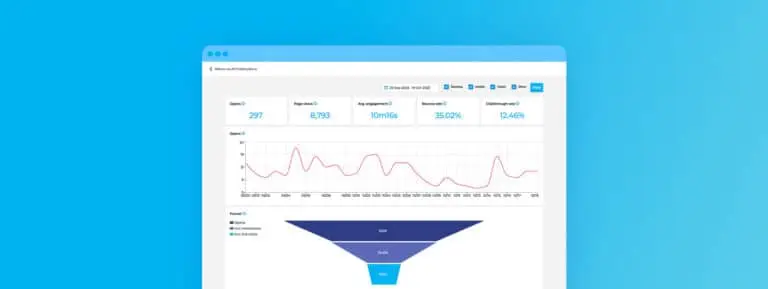
Publitas, for example, reports catalog opens, page views, product clicks, and engagement, which adds context on how social traffic continues through product discovery once shoppers reach a catalog.
What Should a Social Media Report Include?
A useful social media report connects your objectives with the data needed to evaluate progress. For retail and ecommerce teams, it should show how social activity contributes to product discovery, traffic, and conversion pathways.
Here are the four core elements to include:
Reporting objective and period
Start with the question the report needs to answer and the timeframe being reviewed. For example, you may want to assess whether a seasonal campaign increased qualified traffic to a digital catalog.
The objective determines which data belongs in the report.
Key performance indicators
Choose a small set of KPIs that reflect your objective. If the goal is product discovery, relevant indicators may include referral traffic, CTR, or downstream product interactions.
Limiting the report to decision-relevant KPIs makes performance easier to interpret.
Performance results
Present results by platform, campaign, content type, or reporting period.
Use comparisons to provide context. For example, comparing two seasonal campaigns can show which one moved more shoppers into your catalog or product journey.
Insights and actions
Explain what the results mean and what your team should continue, change, test, or investigate.
If social traffic increases but catalog product interactions remain unchanged, review the post-click experience before increasing campaign investment.
With the structure in place, you can then select the metrics that best measure progress toward the report’s objective.
Also Read: Catalog Marketing KPIs: 10 Metrics to Measure Performance
Which Social Media Metrics Should You Report?
Report the metrics that directly reflect your social media goals, such as reach, engagement, audience growth, traffic, and conversions. Focus on measures that help you understand both audience response and the business impact of your campaigns.
Here are the main metric groups to include:
Awareness metrics
Use reach to measure how many unique people saw your content and impressions to measure how often it appeared. This shows whether a campaign is expanding exposure or repeatedly reaching the same audience.
Engagement metrics
Track engagement rate, likes, comments, shares, and saves to understand audience response. These signals can show which products, promotions, or formats generate enough interest to support further consideration.
Audience growth metrics
Follower count shows audience size, while follower growth shows whether it is expanding. Review audience characteristics when they help confirm that growth comes from relevant customer segments.
Traffic and conversion metrics
Clicks, CTR, and website traffic show whether social content moves shoppers beyond the platform. Conversion rate, ROI, and ROAS show business impact where tracking and attribution are reliable.
Once the right metrics are selected, the focus shifts to presenting them in a way that stakeholders can interpret quickly.
How to Make Social Media Reports More Engaging
Make social media reports easy to scan, interpret, and act on. The goal is to help stakeholders move quickly from results to campaign and customer-journey decisions.
Here are five ways to improve the reporting experience:
- Use a clear multi-page structure: Start with key outcomes, then move into channel, campaign, and customer-journey details.
- Add relevant media: Include top-performing posts, videos, or creative where they help explain performance.
- Share through a direct link: Use a browser-based format that avoids downloads and version confusion.
- Optimize for mobile readability: Use clear headings, short sections, and readable charts across screen sizes.
- Track report engagement: Review which sections stakeholders spend time on and use that insight to refine future reports.
These presentation principles become easier to apply when you use a repeatable reporting framework.
Also Read: How to Measure Catalog-Influenced Revenue: A Practical Framework for Retail Marketers
Social Media Report Template
A consistent template helps retail and ecommerce teams connect social media performance with shopper behavior and business objectives without rebuilding the report each time.
Use this simple framework:
Objective → Reporting period → KPIs → Performance results → Insights → Actions
- Objective: Define the business question, such as whether a social campaign drove qualified traffic to a product page or digital catalog.
- Reporting period: Set the timeframe and comparison period.
- KPIs: Include only the metrics that measure progress toward the objective.
- Performance results: Show the most relevant results by campaign, platform, or content type.
- Insights: Explain what changed and what the data indicates about audience behavior.
- Actions: State what your team should continue, change, test, or investigate next.
You can deliver the report through the following formats:
| Format | Best for |
| Spreadsheet (Excel/ Google Sheets) | Internal analysis |
| Dashboard (Sprout, Hootsuite, Buffer) | Ongoing monitoring |
| Document / Presentation (PDF, PPT) | Stakeholder reporting |
| Interactive Digital Flipbook (FlippingBook) | Shareable, visual reporting |
Conclusion
Effective social media reports turn channel data into clear decisions about campaign investment and customer journeys. The strongest reports focus on business objectives and the actions that follow from performance changes.
Modern digital catalog platforms like Publitas help retail and ecommerce teams measure catalog-level behavior, including page views, engagement, CTR, product clicks, and link clicks. These insights can help you understand how traffic progresses from discovery to product interaction.
FAQs
How do you benchmark social media performance?
Compare results against past performance, campaign goals, and relevant external benchmarks. Use benchmarks that match the same platform, period, audience, and objective.
How can you tell whether a change in social media performance is meaningful?
Review the size of the change alongside historical trends, campaign activity, and comparison periods. A single-period increase or decline should not be treated as a lasting trend without context.
Should social media reports include competitor data?
Yes, when competitor data provides useful market context. However, public metrics should not be treated as direct benchmarks because audience size, spend, objectives, and reporting methods may differ.
Enjoyed this article?
Get the next one straight to your inbox.