
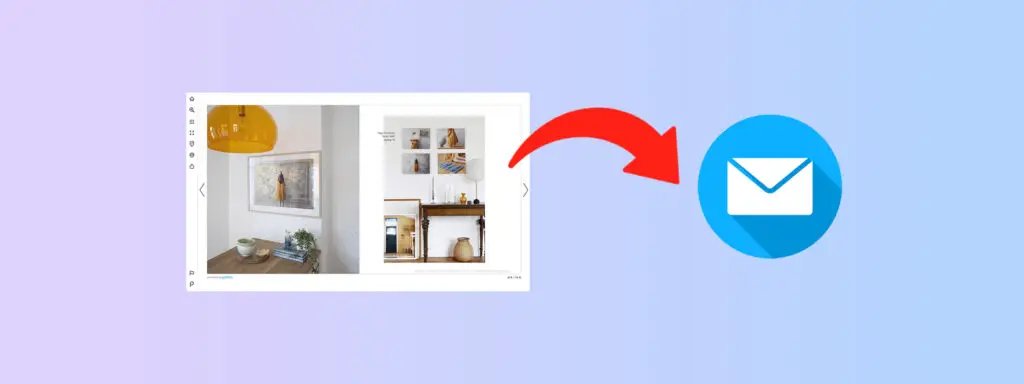
Flipbooks typically drive higher engagement than static PDFs, but email clients block the interactivity that enables that engagement. JavaScript, iframes, and embedded scripts get stripped before reaching the inbox. This creates a structural gap between marketing intent and email rendering capability.
The solution is not abandoning flipbooks in email campaigns, but clarity on which embedding methods survive inbox rendering and which fail silently. When teams embed a flipbook into email correctly, they preserve deliverability while creating a controlled visual entry point to the hosted catalog.
This guide outlines the technical constraints that shape email rendering, the embedding approaches that work across major clients, and the design choices that determine whether a flipbook email drives meaningful traffic or gets ignored.
What is a Flipbook?
A flipbook is a browser-based publication designed for structured browsing, where page order and visual grouping support product evaluation. Marketing teams favor the format for catalogs and brand narratives that benefit from comparison rather than continuous scrolling.
Email remains a high-return channel, yet inbox rendering rules block most interactive elements. This constraint reframes the objective when teams embed flipbooks into email: the inbox acts as a controlled entry point. Success depends on aligning email-safe design with a clear transition to a hosted environment where interaction and measurement occur.
- Role of the inbox: Email functions as a signal, not a container for interaction. Its job is to communicate value quickly and route readers to the flipbook without attempting full interaction inside the message.
- Design for survivability: Effective emails rely on static visuals, clear calls to action, and predictable layouts that render consistently across clients, avoiding scripts and embeds that are routinely stripped.
- Preserving intent: Previews, cover images, and concise copy set expectations before the click, ensuring readers understand what awaits them beyond the inbox.
- Measurement beyond email metrics: The hosted flipbook captures page views, navigation paths, and interaction behavior that email opens and clicks cannot reveal.
Can You Embed a Flipbook Directly Into an Email?
No, email clients do not support direct flipbook embedding. Most inbox environments remove script-based elements as a security standard. A flipbook depends on these components to render page transitions and interactive hotspots.
When teams paste flipbook embed code into an email, the result is typically empty space or a broken layout, not a usable experience.
This limitation applies across major providers. Gmail, Outlook, Apple Mail, and Yahoo Mail all enforce strict rendering rules that prevent interactive publications from running inside the inbox. This reflects security and stability priorities rather than design limitations.
The effective approach is indirect distribution. Teams represent the flipbook visually within the email using a static preview, cover image, or call-to-action, then route readers to the hosted publication.
This method allows marketers to share flipbooks through email without compromising deliverability, while still moving recipients into an environment where interaction and measurement are possible.
Common Ways to Embed a Flipbook Into an Email
Marketing teams typically rely on three primary methods to share a flipbook through email. The differences lie in inbox compatibility, the level of engagement, and the effort required to execute and maintain them.
The right approach depends on audience email clients, available design and testing resources, and acceptable friction between the inbox and the hosted catalog.
Embed a Clickable Cover Image or GIF (Recommended)
- Use a static cover image linked to the hosted flipbook URL to ensure consistent rendering across all major email clients.
- Select a front cover or curated product spread that communicates value immediately, since the image functions as the primary decision trigger inside the inbox.
- Animated GIFs can signal motion and suggest interactivity, setting expectations for a richer post-click experience. Most clients support GIFs, though some display only the first frame.
Embed Flipbook Using HTML (What Works and What Breaks)
- Email HTML supports a narrow set of elements, including inline CSS, table-based layouts, image tags, and anchor links.
- Script-based elements are removed by email clients. JavaScript, iframes, embedded videos, animations, and external stylesheets will not render.
- Flipbook embed codes generated for websites rely on blocked elements, which makes attempts to embed digital flipbooks in email unsuccessful.
- The only HTML method that works consistently is linking an image or button to the flipbook URL, rather than embedding the publication itself.
Attach the Flipbook or PDF File
- PDF attachments increase email size, which can affect inbox placement and trigger spam filtering.
- Recipients must download and open the file in a separate application, adding friction between the inbox and content consumption.
- Attachments remove interactive elements such as product links, hotspots, and embedded media, limiting their usefulness for discovery.
How to Embed a Flipbook in Popular Email Platforms
Embedding a flipbook into an email depends less on design intent and more on platform-specific rendering rules. Email clients and marketing tools apply different restrictions, which means a layout that appears correct in one environment may fail in another.
To embed a digital flipbook in email reliably, teams need to align their approach with how each platform processes images, links, and HTML before delivery.
Embed Flipbook in Gmail
- Start a new draft and place a visual element in the body of the message that represents the flipbook, ideally the cover or a key spread.
- Treat that visual as a navigational element rather than decoration.
- Attach a link that points directly to the hosted flipbook.
- Confirm the image includes descriptive text for accessibility and fallback rendering.
Embed Flipbook in Outlook
- Begin a fresh message and insert a static image using Outlook’s built-in image tools.
- Link the image to the flipbook URL instead of attempting animation or advanced styling.
- Keep dimensions conservative to avoid resizing or layout shifts, particularly in Windows desktop Outlook.
Embed Flipbook in Mailchimp
- Build the email using a visual content block rather than freeform HTML unless strict control is required.
- Add a flipbook preview image or short animation and connect it to the hosted publication.
- Reinforce the visual link with a clear text call to action placed nearby.
- Review the campaign using client preview tools before scheduling delivery.
Step-by-Step: How to Embed a Flipbook Into an Email
The steps below outline a reliable way to embed a flipbook into an email while respecting inbox rendering limits and maintaining consistent delivery across clients.
Step 1: Generate the flipbook URL
Publish the digital catalog and copy the direct browser link. This URL becomes the destination for all email traffic and the point where interaction and measurement occur.
Step 2: Create a preview image
Export the flipbook cover or a representative product spread as a PNG or JPEG. Keep file size low to protect deliverability and load speed.
Step 3: Consider a GIF preview
When motion adds value, create a short loop that suggests page turning. Keep the animation brief and optimized so it renders reliably in most clients.
Step 4: Insert the visual into the email
Upload the image or GIF using your email platform’s native editor. This visual acts as the primary entry point from the inbox to the flipbook.
Step 5: Link the image to the flipbook
Attach the flipbook URL to the visual. This is the functional step that allows teams to share flipbooks through email without attempting unsupported embedding.
Step 6: Add supporting copy
Include a concise line that sets expectations about what opens after the click, reinforcing value and reducing hesitation.
Step 7: Include a text-based CTA
Add a button or linked text below the image to support accessibility and provide an alternative path for recipients who do not engage with images.
Step 8: Test across major clients
Send test emails to Gmail, Outlook, and mobile inboxes. Confirm layout, link behavior, and clarity before launch.
Key Benefits of Sending a Flipbook via Email
When executed correctly, flipbook-led emails often outperform standard promotional formats. They offer visual differentiation in crowded inboxes and create a clear path from email to catalog engagement. Here’s what marketing teams gain when they embed a flipbook into email campaigns:
- Higher click-through rates: A visual flipbook preview attracts more clicks than plain text links. The image signals interactive content ahead, giving recipients a reason to engage.
- Extended catalog reach: Email distribution ensures your digital catalog is delivered directly to subscribers who have already signaled interest in your brand. This extends exposure beyond organic site visits and creates a predictable, repeatable path for audiences to access and engage with your publication on their own terms. Email puts your digital catalog directly in front of opted-in audiences.
- Stronger brand recall: A well-designed cover image or animated GIF reinforces brand identity within the inbox. This visual touchpoint builds familiarity before the recipient even clicks through.
- Trackable engagement: Email metrics combined with flipbook analytics connect opens and clicks to downstream content interaction.
- Lower friction than attachments: Linked flipbooks load instantly in the browser. No downloads, no file compatibility issues, no storage concerns for the recipient.
Embed Flipbooks Into Email Without Hurting Deliverability or Click Rates
Email deliverability depends on sender reputation, content quality, and technical factors. The clear alignment with how media interacts with these variables helps you improve email engagement with flipbooks without triggering spam filters.
- Spam filter sensitivity to embedded media: Spam filters analyze image-to-text ratios, file sizes, and code structure. Emails containing only images often score higher on spam metrics. Include descriptive text around your flipbook preview to balance this ratio and reduce filtering risk.
- Balancing images and text: Maintain at least a 60/40 text-to-image ratio. Add context around your flipbook preview, describe the collection, highlight featured products, or explain the promotion. This improves both deliverability and reader comprehension.
- File size and load performance: Compress your preview image to under 200KB. For GIFs, stay under 500KB. Large files delay rendering, particularly on mobile connections, and increase the likelihood of recipients abandoning the email before engaging.
- CTA positioning for higher click-through: Position your primary CTA immediately below the flipbook preview image. Recipients who respond to the visual should find the action step without scrolling. A secondary text link below the button captures those who missed the image tap target.
- Why lightweight previews outperform heavy embeds: Lightweight emails load faster, render consistently across clients, and avoid spam filters. A clean preview image with a clear link outperforms any attempt at embedding interactive elements that break across email platforms.
Design and CTA Best Practices for Email-Embedded Flipbooks
Email cannot host full flipbook interactivity, which shifts the role of design and CTAs. The objective is not to recreate the flipbook inside the inbox, but to signal its value clearly and move readers into the hosted experience.
Design choices and CTA placement determine whether recipients understand what they are clicking and whether they click at all.
For Design Best Practices
- Use a single, high-quality preview image that reflects the flipbook’s content and production quality. The image should set expectations immediately about what opens after the click.
- Favor simplicity over density. A clean layout with one primary visual reduces distraction and keeps the reader’s attention anchored on the flipbook entry point.
- Design with mobile consumption in mind. Preview images should scale cleanly, and spacing should prevent accidental taps or misclicks on smaller screens.
- Apply contrast and whitespace deliberately. Clear visual separation helps guide the eye toward the preview and supporting action without clutter.
- Include descriptive alt text for images. This supports accessibility and ensures the message remains intelligible when images do not load.
CTA Best Practices
- Write CTAs that describe the outcome, not the action. Copy that signals what the reader will access performs better than generic prompts.
- Limit the email to one primary CTA. A single action reduces friction and clarifies the next step for readers.
- Position the CTA close to the preview image. Visual proximity reinforces intent and shortens the decision path.
- Link the CTA directly to the hosted flipbook. Avoid intermediate pages that slow momentum or dilute engagement signals.
- Keep CTA copy concise and scannable. Short phrases work best in inbox environments where attention is limited.
Measuring Performance After You Embed a Flipbook in Email
Measuring performance after embedding a flipbook into email requires separating inbox behavior from post-click engagement. Email metrics explain whether the message earns attention.
Flipbook analytics explain what readers do once they arrive. Together, these signals show whether the email successfully moves recipients from initial interest to meaningful content interaction.
When teams share flipbooks through email, this combined view is essential for linking creative decisions to business outcomes. The following metrics form the core performance set used to evaluate an email with interactive flipbook.
- Email open rate: Indicates subject line and sender effectiveness. This metric sets the ceiling for all downstream engagement.
- Click-through rate: Measures how compelling the preview image and CTA are. This is the primary signal for whether the email design helps improve email engagement with flipbooks.
- Flipbook engagement metrics: Page views, time spent, navigation depth, hotspot clicks, and in-publication actions show how readers behave after the click.
- Conversion rate: Connects flipbook interaction to outcomes such as product views, enquiries, or lead submissions, closing the loop between content and performance.
- Page interaction: Identifies which sections hold attention and which products attract clicks, helping teams refine layout and content emphasis in future sends.
Retail-focused catalog platforms such as Publitas provide built-in analytics dashboards that track these metrics, helping marketing teams identify which pages and products drive the most interaction.
When Should You Link to a Flipbook Instead of Embedding It
Linking to a flipbook rather than embedding a visual preview is a deliberate choice shaped by audience context and delivery risk. While many teams embed flipbooks into email to create a stronger visual cue, certain email types prioritize clarity, speed, or deliverability over presentation.
In these cases, a simple link preserves message intent without introducing rendering or filtering issues. The decision comes down to whether the inbox should persuade or simply inform. The following scenarios outlined when linking is the more appropriate option.
- Text-led newsletters: When written commentary is the primary focus, adding images can distract from the message. A clean text link allows teams to share flipbooks through email without shifting attention away from the narrative.
- System-generated emails: Order confirmations, account notices, and service updates benefit from minimal formatting. In these cases, a plain link fits naturally and avoids unnecessary visual elements
- Enterprise inbox environments: Many corporate email systems block images by default. Relying on text links ensures recipients can still access the flipbook without enabling images, which supports consistent access
- Deliverability-sensitive campaigns: Cold outreach and re-engagement efforts often require conservative formatting. Avoiding images reduces spam filtering risk when teams add flipbooks to email for audiences with no prior engagement history.
Conclusion: Choosing the Right Way to Embed a Flipbook Into Email
Technical limitations prevent true interactive embedding of flipbooks in email. The most effective approach is to represent your flipbook visually through a cover image or GIF and link to the hosted publication.
This method works across email clients, maintains deliverability, and drives measurable traffic to your digital catalog. Match your preview to your catalog’s content, write specific CTAs, and track engagement from inbox to conversion.
FAQs
Can you embed a flipbook directly inside an email body?
No, email clients do not support live interactivity. JavaScript, iframes, and script-based elements are removed before delivery. The accepted approach is to place a visual preview in the email and link it to the hosted flipbook.
Why doesn’t iframe or script embed code work in emails?
Email platforms prioritize security and stability. Any code capable of executing actions is stripped out, leaving only static elements, images, tables, and hyperlinks to render consistently across clients.
What is the safest way to embed a flipbook into Gmail or Outlook?
Use a static image or short animated preview of the flipbook cover and hyperlink it to the publication URL. This method renders reliably in both Gmail and Outlook and avoids layout or delivery issues.
Is it better to use a GIF or a static image for flipbook emails?
The choice depends on the audience mix. GIFs can signal motion and perform well in Gmail. Outlook desktop displays only the first frame, which makes static images the safer option for Outlook-heavy audiences.
Does embedding a flipbook affect email deliverability?
When executed properly, it does not. The use of lightweight preview images, a balanced text-to-image ratio, and clear links to the hosted publication ensures that when teams embed flipbook into email, deliverability stays intact while engagement potential improves.
