Share article
How to create an online booklet comes down to three starting points: convert an existing PDF, adapt a template, or build the publication from scratch. The right choice depends on the content you already have and how much it needs to change for screen reading.
The seven steps below cover the process from defining the booklet’s purpose to measuring how readers use it.
What Is an Online Booklet?
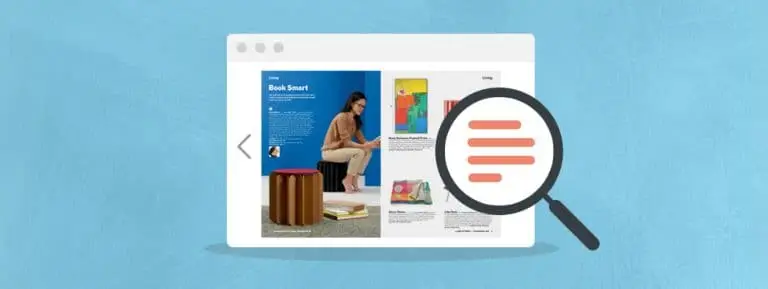
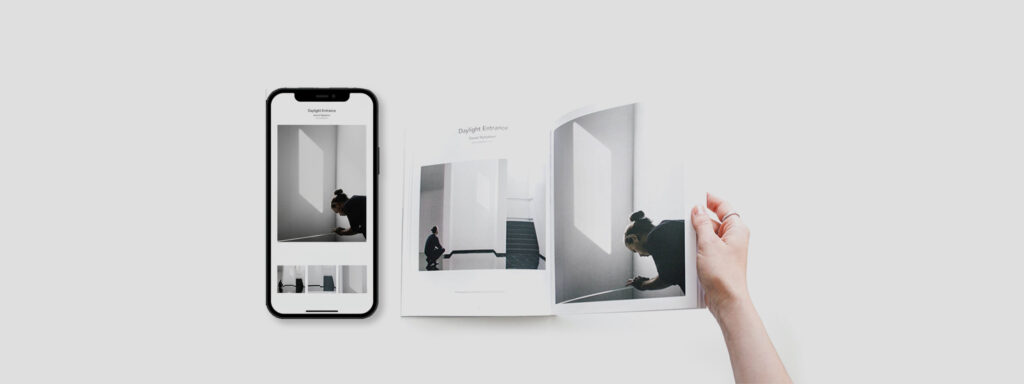
An online booklet is a web-based, page-by-page publication designed to be read in a browser rather than downloaded or printed. It keeps the structured sequence of a printed booklet and adds capabilities a static PDF lacks:
- Browser access on any device, with no file download.
- Interactive elements such as links, video, and product information.
- Sharing through a single URL, website embed, or QR code.
- Tracking of views, clicks, and page-level reading behavior.
A PDF attachment gives no signal on which pages readers opened or skipped. An online booklet does.
How to Create an Online Booklet in 7 Steps
The workflow is the same whether you start with existing content, a template, or a blank canvas.
For teams working out how to create a digital booklet for a campaign, Steps 1 and 2 settle what the booklet must do before any tool or layout decision is made.
1. Define the Purpose, Audience, and Format
Start with the action the booklet should drive. A product catalog moves readers toward product pages, and a lookbook presents a collection. Sales materials support buyer conversations, while guides and educational publications answer questions.
Each purpose shapes the rest of the process:
- Audience: Existing customers need less brand context than prospects, and trade buyers need more product detail than consumers.
- Length: Promotional booklets work best short and time-bound, while reference guides can run longer.
- Format: A campaign piece with an end date is planned differently from an evergreen document.
2. Plan and Organize the Content
Content planning decides what goes into the booklet and the order in which readers encounter it. Online readers tend to scan headings and opening lines before committing to a page, so the page planning carries more weight than it does in print.
Build a page plan before opening any design tool:
- Sections and headings that let readers locate a category or topic quickly.
- Page sequence that places priority content early, such as featured products or the core offer.
- Images assigned to specific pages, each with a defined role.
- CTA positions marked on the pages where readers are most likely to act.
Remove anything that does not serve the goal from Step 1.
3. Choose How You Will Create the Booklet
The first production decision on how to create an online booklet is the starting point. The right one depends on your existing content and the level of customization required.
Start from an existing PDF. This is the fastest route when a print catalog, brochure, or sales document already exists. Most platforms import the PDF with pages intact, so the team adds links and interactivity instead of rebuilding layouts. Print layouts were built for a fixed page size, so some pages will need adjustment in Step 5.
Start from a template. Templates suit recurring formats such as weekly promotions or seasonal lookbooks, keeping layouts and navigation consistent while cutting production time per edition.
Build from scratch. This gives full layout control for screen-first publications but requires more design time and a clear page plan.
For teams deciding how to make a digital booklet from existing print assets, PDF conversion is usually the practical first step.
4. Choose an Online Booklet Platform
Platform choice affects every later stage of how to create an online booklet, so match it to your Step 3 starting point. Evaluate:
- PDF import that preserves page quality and allows edits after upload.
- Templates and editing that non-designers can use without rebuilding layouts.
- Interactive elements including links, video, and product information.
- Mobile support that adapts layouts to smaller screens instead of shrinking the page.
- Publishing and sharing through direct links, embeds, and scheduling.
- Analytics at page and link level, not only total views.
Teams publishing at volume should also check batch tools and user permissions, which let several people work on publications without version conflicts.
5. Design and Customize the Booklet for Online Reading
Digital booklet design starts with how people read on screens. A large share of readers will open the booklet on a phone.
Focus on the elements that affect readability:
- Typography: Body text large enough to read without zooming, with no more than two typefaces.
- Visual hierarchy: Headings, prices, and key messages that stand out from supporting text.
- Images: High-resolution visuals cropped to show the detail readers need.
- Whitespace: Enough separation for readers to distinguish one product or section from the next.
- Branding: Consistent colors, logos, and tone on every page.
If you started from a PDF, review each page at mobile width. Print layouts often rely on multi-column text and small type that force readers to zoom. Moving those pages to single-column layouts is a core part of digital booklet design for converted files.
6. Add Interactive Elements and Calls to Action
Each interactive element should help the reader complete an action or find information. Elements added purely for visual effect increase load time without supporting a decision.
- Hyperlinks and buttons that move readers to a product, booking, or contact page.
- Product links that show price and details without leaving the booklet.
- Videos and GIFs that show a product in use, its fit, or its texture.
- Audio for guided content such as instructions.
- Image galleries that show several variants in one space.
- Forms for lead capture, quote requests, or sign-ups.
- Navigation such as a category menu for longer booklets.
Keep one primary CTA per page or spread, and phrase it as a specific action, such as “Shop the collection.” Competing elements slow scanning and make the next step less clear.
For product-led booklets, digital catalog platforms that connect pages to live product feeds and shoppable CTAs, such as Publitas, keep prices and availability current without manual edits.
7. Preview, Publish, Share, and Measure
Run final QA before publishing. Review the booklet on desktop and mobile and check:
- Page order and image quality.
- Text accuracy, including prices, dates, and offer terms.
- Every link, button, and interactive element.
- CTA destinations and tracking parameters.
Once approved, distribute through direct links, website embeds, email, social posts, and QR codes on print materials or in-store signage.
Then measure against the goal from Step 1. Views and time spent show reach. Page-level engagement shows which sections hold interest and where readers leave.
Clicks, leads, and conversions show whether the booklet drove the action it was built for. Feed these results into Step 1 the next time you plan how to create an online booklet.
Online Booklet Best Practices
These practices apply regardless of format or platform:
- Keep the content focused on one goal and one audience.
- Design for mobile first, then confirm the layout on desktop.
- Maintain consistent branding across pages and editions.
- Use clear CTAs that name the action and destination.
- Make interactive elements purposeful by tying each one to a reader’s needs.
- Check every link before publishing and after each update.
- Review engagement after launch and apply the findings to the next edition.
Turn Your Existing Content Into a Shoppable Booklet
If your booklet is a catalog, lookbook, or seasonal promotion, a static file only gets you partway. Book a demo to see how Publitas turns a PDF or product feed into a shoppable, trackable online booklet your team can update without republishing from scratch.
FAQs About How to Create an Online Booklet
Can an online booklet be updated after it is published?
Yes, some digital publishing platforms let you replace the underlying publication and republish it under the same link. This suits catalogs and promotional booklets where pricing, availability, or offer dates change mid-campaign.
Can an online booklet be made accessible?
Yes, accessible digital booklet design starts with readable typography and sufficient contrast. WCAG 2.2 Level AA requires a contrast ratio of at least 4.5:1 for standard text. Add meaningful image descriptions, use a logical navigation structure, and confirm links and controls work with a keyboard where the platform supports it.
Can an online booklet be embedded on a website?
Yes, many platforms provide embed code that places the booklet directly on a webpage or landing page. Visitors read it without downloading a file and stay on your site, close to product pages.
Can I restrict who can access an online booklet?
Yes, on platforms that offer private links, passwords, or other access controls. These suit internal documents, sales materials for specific buyers, and limited-distribution publications such as trade price lists.
Can I use an online booklet for a product catalog or lookbook?
Yes, product links, pricing information, and collection-level CTAs connect each page to the relevant product or category page. When planning how to create an online booklet for products, prioritize digital catalog platforms that link pages to product data, so readers move from browsing to product detail in one step.
Enjoyed this article?
Get the next one straight to your inbox.