Share article
The core benefits of converting a PDF to a digital catalog are better mobile experiences, measurable engagement data, shoppable product journeys, faster publishing workflows, and a distribution model that works natively across email, social, and web, none of which a static PDF can deliver.
A PDF was designed for print. It loads slowly on mobile, offers no product interactivity, and returns almost no data on how shoppers engage with it.
The digital catalog benefits work differently: the publication becomes a live commerce asset that is trackable, updatable, and distributable across every channel your audience uses.
For teams managing seasonal promotions, multi-region campaigns, or a growing ecommerce presence, the case for conversion comes down to nine specific advantages.
9 Benefits of Converting a PDF to a Digital Catalog
1. Better Mobile Browsing Experiences
Mobile devices now account for 75% of ecommerce site traffic, yet desktop still converts at roughly 1.5 to 2 times the rate of mobile, a gap driven largely by poor mobile experiences, not shopper intent.
PDFs are a significant part of that problem. A multi-page PDF catalog requires pinching, zooming, and horizontal scrolling – interactions that create friction on small screens and accelerate drop-off.
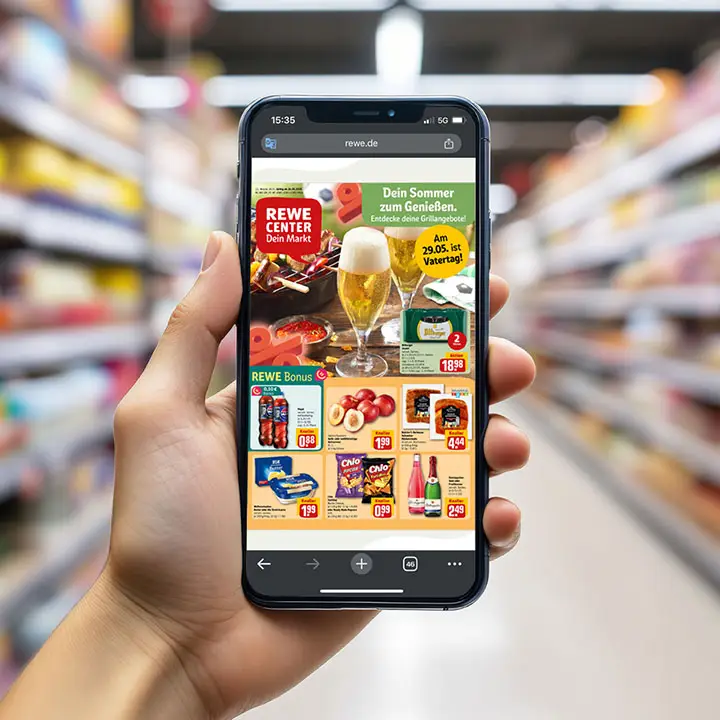
Digital catalogs built with responsive, scroll-friendly layouts eliminate that friction entirely. Shoppers can browse naturally on any device, and product information surfaces with a single tap rather than a manual zoom.
2. Clickable Product Journeys That Support Conversion
One of the clearest benefits of interactive catalogs is connecting product discovery directly to purchase intent. In a PDF, a shopper who sees something they want has to:
- Exit the catalog.
- Search for the item separately.
- Navigate to the product page independently.
Many do not complete that journey. Digital catalogs reduce those steps with product hotspots, overlays, and direct links to product detail pages which shorten the path from browsing to purchase. Retailers using shoppable digital catalogs have reported conversion rates up to 308% higher compared to other marketing channels.
3. Analytics That Show What Shoppers Actually Engage With
A PDF registers a catalog opening. That is essentially all most teams know about shopper behavior. Digital catalogs return:
- Page-level engagement and time-on-spread data.
- Product view rates and click-through patterns.
- Scroll depth and drop-off points by page.
- Which products drive add-to-cart or wishlist actions.
That granularity makes catalog optimization a testable, iterative process rather than a matter of assumption. Teams can identify which spreads hold attention, which products generate clicks, and where shoppers drop off and then act on that data within a live campaign rather than waiting until the next edition.
4. More Value from Existing Catalog Assets
Converting a PDF to a digital catalog does not mean rebuilding content from scratch. The existing catalog design, photography, and product information becomes the foundation, with interactivity and shoppable elements added as a layer on top.
This matters operationally. Marketing teams that have invested in high-quality catalog production – photography, layout, copywriting can extend the return on that investment by making the same assets work harder digitally.
A well-produced catalog page that previously existed only as a static spread can become a shoppable, shareable content unit that drives measurable traffic and product views.
5. Faster Catalog Updates and Publishing Workflows
Print catalogs lock in product information weeks before distribution. Any pricing change, stock update, or promotional adjustment after that point requires a costly workaround or a reprint. Digital catalogs remove that constraint:
- Product feeds connect directly to catalog content.
- Price changes and stock availability reflect without manual reformatting.
- Regional variants can be published independently without rebuilding the full layout.
- Schedule-based publishing automates go-live without manual intervention.
For retailers managing frequent promotions or seasonal rotations, this is a material operational advantage. Brands using dynamic product feeds save up to 80% in design and creation time compared to rebuilding static layouts for each edition.
6. Better Campaign Performance Across Email, Paid, and Social
A PDF shared via email requires the recipient to download or open a separate file, reducing engagement and makes attribution nearly impossible.
A digital catalog shared as a link behaves like any other trackable URL: click-through rates are measurable, traffic sources are identifiable, and retargeting audiences can be built from catalog visitors.
This has a direct effect on campaign ROI. Capitol Lighting’s first digital catalog achieved a 0.81% click-through rate. By the second catalog, with optimized content and distribution, that figure rose to 2.05% alongside 32,000 opens and 915,000 page views.
The shift from a static PDF to a trackable digital publication gave the marketing team the data needed to improve performance incrementally.
7. Improved Product Discovery and Merchandising Control
One of the less-discussed advantages of digital catalogs is the control they give merchandising teams over how products are sequenced and surfaced. In a static PDF, product placement is fixed at the point of design. In a digital catalog, teams can apply:
- Product feed rules to adjust what appears based on availability or margin.
- Personalization logic to show different content to different audience segments.
- Dynamic grids that auto-populate based on campaign priorities.
This matters because product discovery is not performing well at scale, considering how 42% of shoppers rate current online product discovery experiences a C grade or below.
Digital catalogs offer a structured, curated discovery path that standard ecommerce category pages often do not.
8. Reduced Reliance on Print Distribution
Print distribution carries costs that scale linearly: design, print run, postage, storage, and redistribution for any updates. Digital distribution eliminates most of those line items while expanding reach. For retail teams working under tighter margins or sustainability commitments, the digital catalog benefits compound:
- Lower per-unit distribution costs.
- No postage overhead.
- No waste from outdated print runs.
- A distribution model that scales to new regions without proportional spend increases.
9. A More Scalable Catalog Strategy for Omnichannel Marketing
Approximately 85% of North American retailers have implemented omnichannel strategies, but an omnichannel strategy is only as effective as the content infrastructure supporting it. A PDF cannot be embedded on a website, shared natively on social media, indexed by search engines, or distributed across affiliate networks without significant workarounds.
A digital catalog operates natively across all of these channels. The same publication can be:
- Embedded on the brand website.
- Distributed via email campaigns.
- Shared across social platforms.
- Posted to affiliate networks.
- Surfaced through paid media.
For marketing teams managing content across multiple touchpoints, this scalability is one of the most tangible benefits of converting a PDF to a digital catalog.
Why Static PDF Catalogs Underperform in Digital Channels
Understanding the case for better conversion also means being clear about why the PDF format creates disadvantages in digital distribution.
Poor Mobile Experience Creates Drop-Off
Google’s research found that a 0.1-second improvement in mobile page load time boosts retail conversion rates by 8.4% on average. PDF files, particularly multi-page catalog PDFs are among the heaviest, slow-loading formats in a marketer’s toolkit.
On mobile, that translates directly to bounce rates and lost engagement before a shopper has seen a single product.
Static PDFs Do Not Support Product Discovery
A static PDF cannot support browsing behavior beyond what is physically laid out on the page. There are no product links, no related item suggestions, and no dynamic content adjustments based on what a shopper has already viewed.
If a product does not appear in the right place at the right time in the layout, most shoppers will not find it. Discovery is entirely dependent on fixed design decisions made weeks before the catalog goes live.
You Cannot Measure Meaningful Engagement
A PDF download gives a team one data point: the file was opened. There is no page-level tracking, no product engagement data, and no way to distinguish a shopper who spent 12 minutes browsing from one who opened the file and closed it immediately. Without that data, catalog optimization becomes guesswork rather than a testable, iterative process.
PDF Flipbook vs Digital Catalog: What Is Actually Better?
For retail marketing and ecommerce teams accountable for measurable outcomes, a flipbook addresses the wrong problem. The issue with a PDF catalog is not that it looks like a printed document, it is that it cannot function as a commerce asset.
Most flipbook formats share the same structural ceiling:
- No product feed integration, so pricing and availability are only as current as the last upload.
- Limited analytics beyond aggregate page views and open counts.
- No personalization capability as every visitor sees identical content regardless of behavior or segment.
- No native ecommerce connection, shoppers cannot add to cart, check availability, or complete a purchase without leaving the catalog entirely.
A digital catalog is built around a different premise. The publication is a performance asset, not a rendered document:
- Products are shoppable with direct links to product detail pages and add-to-cart functionality.
- Engagement is tracked at the interaction level by page, product, and click path.
- Content can be personalized by audience segment, location, or browsing behavior.
- Distribution is automated across owned channels, affiliate networks, and paid media.
With a digital catalog, the campaign is just beginning as teams can run A/B tests, adjust product placement based on engagement data, swap out-of-stock items automatically, and optimize distribution based on traffic source performance.
How to Convert a PDF to a Digital Catalog Without Rebuilding Everything
When teams look to convert a PDF to a digital catalog, the process is less disruptive than most expect. Most platforms accept PDF uploads directly, then allow teams to layer in functionality without redesigning the layout from scratch:
- Upload the existing PDF to preserve the original design, photography, and layout.
- Add product hotspots and overlays to make individual items shoppable.
- Connect a product feed to keep pricing and availability current automatically.
- Embed video, GIFs, or interactive elements where the content supports it.
- Configure distribution settings for web embed, email, social, and affiliate channels.
What to Look for in a PDF-to-Digital Catalog Platform
The platform you choose determines how much of the digital catalog benefits above you can actually access. Key criteria worth evaluating:
- Product feed integration: Automated SKU updates, price syncing, and inventory management without manual reformatting.
- Analytics depth: Page-level engagement data, product view tracking, click-through attribution, and the ability to run A/B tests on catalog layouts.
- Mobile optimization: Responsive layouts that render correctly across devices without requiring a separate mobile version.
- Distribution capability: Native support for embedding, email, social sharing, and affiliate network distribution from a single publication.
- Accessibility compliance: WCAG, ADA, and EAA compliance to meet both legal requirements and audience reach goals.
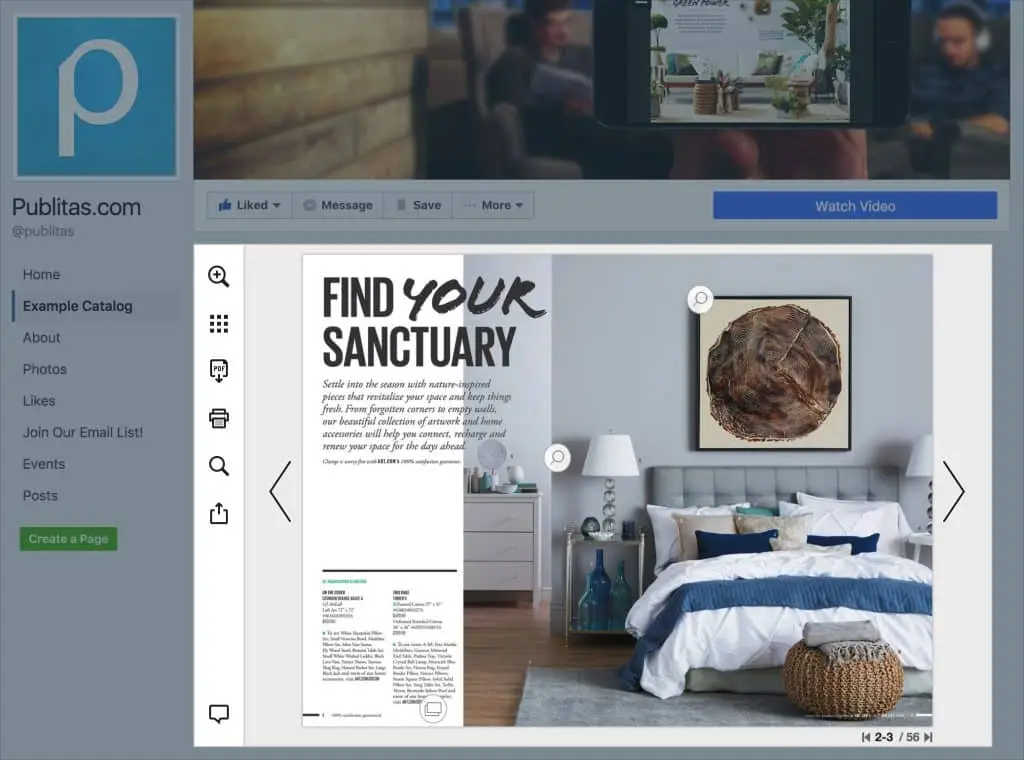
Platforms like Publitas are built specifically for retail teams managing this kind of publishing workflow, combining publication management, product feed automation, and catalog analytics in one environment.
Conclusion
The benefits of converting a PDF to a digital catalog are about what a PDF structurally cannot do: support mobile browsing, return meaningful engagement data, connect directly to purchase paths, and distribute efficiently across the channels modern retail runs on.
For marketing and ecommerce teams working at scale, the benefits of interactive catalogs compound over time: each catalog edition generates data that improves the next, distribution costs decrease as print reliance drops, and the same content assets work harder across more channels.
The shift from a static PDF to a high-performance digital catalog is, in practical terms, a shift from a cost center to a measurable commerce asset. The advantages of digital catalogs are operational, strategic, and directly tied to outcomes that senior retail teams are accountable for.
FAQs
Can I convert an existing PDF into a digital catalog?
Yes, most digital catalog platforms accept PDF uploads directly, allowing teams to retain existing layouts while adding interactivity, product links, and analytics. The conversion process does not require redesigning the catalog from scratch.
What is the difference between a PDF flipbook and a digital catalog?
A flipbook renders a PDF in a browser, typically with a page-turn animation, but retains most of the limitations of the original format: no product feed integration, limited analytics, and no native ecommerce connection. A digital catalog is built for commerce outcomes – products are shoppable, engagement is measurable, and content can be personalized and distributed across channels.
Are digital catalogs better for ecommerce conversions?
In most cases, yes. Digital catalogs reduce the steps between product discovery and purchase by connecting catalog content directly to product pages and shopping flows. Retailers using interactive digital catalogs have reported conversion rates significantly above standard ecommerce benchmarks, with engagement metrics that a static PDF cannot replicate.
Can digital catalogs improve mobile user experience?
Yes, digital catalogs built with responsive layouts render correctly on any screen size without requiring pinch-to-zoom or horizontal scrolling. Given that mobile devices now account for approximately 75% of ecommerce site traffic, mobile optimization at the catalog level has a direct effect on engagement and conversion.
What features should I look for in digital catalog software?
The most operationally important features are product feed integration (for automated updates), page-level analytics, mobile-responsive layouts, multichannel distribution tools, and accessibility compliance. Platforms that also support A/B testing and personalization give retail teams additional levers for improving catalog performance over time.
Enjoyed this article?
Get the next one straight to your inbox.