Share article
Choosing the best digital magazine software depends on your goal and audience. Marketing and brand teams often prefer Flipsnack or FlippingBook for interactive publishing, while retail brands benefit from shoppable platforms like Publitas. Independent publishers that need subscriptions and paywalls are better served by Joomag or eMagazines. Teams chasing immersive, web-native storytelling pick Shorthand. The comparison below helps you choose by goal, budget, and audience.
Best Digital Magazine Software at a Glance
| Tool | Type | Best for | Key strength | Starting price* |
| Flipsnack | Design + Publish | Marketing & brand teams | Design studio with interactive publishing | From $16/month |
| FlippingBook | Flipbook | Marketing publications | Branded flipbooks with analytics | From $20/user/month |
| Joomag | Publisher Suite | Subscription publishers | Paywalls, newsstand, and subscriptions | Custom pricing |
| eMagazines | Publisher Suite | Enterprise publishers | Distribution and subscription management | Custom pricing |
| Marq / Canva | Design + Publish | Non-designers | Templates and brand management | Free or from $5 to $10/month |
| Shorthand | Web-native | Digital storytelling | Responsive scrollytelling experiences | From $60/month |
| Publitas | Shoppable | Retail & ecommerce brands | Shoppable magazines with analytics | From $31/month |
| Issuu / Publuu / FlipHTML5 | Budget Flipbook | Small businesses | Affordable PDF-to-flipbook publishing | Free or from $7/month |
Note: Pricing and features of best digital magazine software are verified as of publication and change often. Figures reflect entry paid tiers and mix monthly and annual billing, so re-verify each on the vendor’s pricing page. Starred items need especially close checking.
Verdict: Choose Flipsnack or FlippingBook for marketing magazines, Joomag or eMagazines for subscriptions and paywalls, Shorthand for web-native storytelling, and a shoppable platform like Publitas when the magazine needs to sell.
Page-Flip Flipbooks vs. Web-Native (Scrollytelling) Magazines
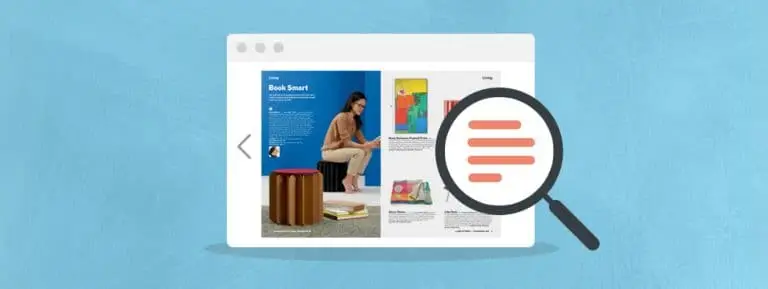
Page-flip flipbooks and web-native scrollytelling magazines represent two distinct digital publishing formats, with some platforms offering hybrid capabilities. A page-flip flipbook wraps a finished PDF in a web viewer with realistic page-turn animation, making it a familiar and fast choice for catalogs, lookbooks, and issue-based publications. By contrast, web-native magazines use responsive HTML and continuous scrolling, delivering a mobile-friendly reading experience with stronger SEO potential and greater flexibility for immersive storytelling, although they typically require more production effort.
Takeaway: Choose a page-flip format when you already have a designed PDF and need to publish quickly. Choose a web-native format when mobile usability, search visibility, and digital-first storytelling are higher priorities.
The Best Digital Magazine Software in 2026
The best digital magazine software below is grouped into five categories, each with its own strengths and limitations.
1. Flipsnack: Best All-Round Design and Publishing
Flipsnack is a digital magazine publishing platform that combines a built-in design studio with flipbook publishing, letting teams upload PDFs or create from templates, then add interactivity, branding, lead forms, and analytics. It is best for marketing and brand teams that want one platform for creation and distribution. Its strengths include versatile templates and collaboration, while its main limitation is less publisher-grade monetization than dedicated publishing suites. Starts at around $16 per month billed annually.
2. Publitas: Best for Shoppable Brand Magazines
Publitas turns digital catalog, editorial-style magazines, and lookbooks from a PDF or product feed into interactive, shoppable experiences for web and mobile. It is best for retail and brand teams that want content to support product discovery and sales. Strengths include shoppable hotspots, product-feed integration, rich media, ecommerce integrations, white-label publishing, and engagement analytics. It is not designed for subscription publishing or from-scratch editorial design. Starts at around $31/month. Paid plans include a 14-day free trial with no credit card required.
3. FlippingBook: Best for Polished Marketing Magazines
FlippingBook is a best digital magazine maker that converts PDFs into polished flipbooks with realistic page-turn effects, branding, lead capture, and engagement analytics. It is best for marketing teams that want professional publications without designing from scratch. Its strengths include high-quality rendering, reliable performance, and reader engagement tracking. Limitations include per-user pricing that scales quickly, key features such as custom domains and lead capture on higher-tier plans, and no built-in design studio. Starts at $20/user/month.
4. Joomag: Best for Monetization and Subscriptions
Joomag is an end-to-end publishing platform that combines templates and PDF uploads with a Newsstand, subscriptions, and paywalls for selling digital issues. It is best for publishers focused on subscription and issue-based monetization. Its strengths include comprehensive monetization tools, an all-in-one workflow, and CRM-style subscriber management. Limitations include templates that can feel restrictive for custom branding and quote-based pricing. Contact sales for current pricing.
5. eMagazines: Best for Professional Publishers
eMagazines is a publisher-grade platform used by major titles. It reflows print PDFs into clean, mobile-friendly, single-column reading and handles distribution, subscriptions, and fulfillment. Best for established publishers needing enterprise distribution. Strengths are reading experience, done-for-you production, and reach through channels such as Apple News+, where participating publishers receive a reduced subscription commission. Limitations are custom pricing and a focus on professional publishers.
6. Marq / Canva: Best for Template-Based Design
Marq and Canva provide drag-and-drop magazine design with templates, brand kits, and easy sharing, while Marq adds brand-locking to help teams maintain consistency. They are best for non-designers creating branded magazines quickly. Their strengths are ease of use and collaboration, while the main limitations are limited monetization features and less layout flexibility than professional publishing tools. Free plans are available, with paid plans starting around $5 to $10/month.
7. Shorthand: Best for Web-Native Storytelling
Shorthand builds immersive, responsive, scrollytelling stories and magazines rather than page-flip editions, suited to feature storytelling, mobile reading, and SEO. Best for teams focused on premium narrative. Strengths are a no-code editor and a polished cross-device experience. It is not a flipbook or PDF workflow and is not built for issue-based monetization. Starts around $60 per month, with annual caps on stories.
8. Issuu / Publuu / FlipHTML5: Best Budget Flipbook Makers
Issuu, Publuu, and FlipHTML5 are online magazine software offer affordable PDF-to-flipbook publishing with media embeds, sharing, and basic analytics. Issuu includes a content discovery network, Publuu focuses on realistic 3D page-turn effects, and FlipHTML5 adds AI features and batch conversion. They are best for small publishers and marketers creating low-cost interactive editions. Free plans often include ads or watermarks, with paid plans starting from $7/month (Publuu), $12/month (FlipHTML5), and $19/month (Issuu).
Can a Digital Magazine Actually Drive Revenue?
Yes, a digital magazine can drive revenue, but the monetization model depends on your goals. Publishers generate revenue through subscriptions, paywalls, single-issue sales, sponsored content, and advertising.
Marketing and brand teams monetize through lead capture and shoppable, contextual commerce that turns engaged readers into buyers, supported by analytics that measure ROI and inform optimization. The continued growth of the global digital publishing market, now worth hundreds of billions of dollars by some estimates, reflects sustained demand for paid digital content and diverse monetization models.
The deciding factor is interactivity. An engaged magazine reader can convert at a higher rate than passive site traffic, but only when the magazine is interactive, shoppable, and measurable. Some analyses find interactive content converts at roughly twice the rate of static content, whereas a flat PDF cannot capture clicks or show what worked. Test any vendor number against your own baseline.
This is where the shoppable category, including platforms like Publitas, earns its place. It pays off when a brand publishes regularly, has products to sell, and measures performance. A one-off PDF nobody tracks does not need it; a recurring sales channel does.
How to Choose Digital Magazine Software
Choosing digital magazine software requires evaluating your core goals, feature needs, and budget. The right platform depends on whether you need a publisher-focused suite, a design tool, a PDF-to-flipbook converter, or a commerce platform. The four considerations below will help you narrow your options before comparing individual tools.
1. Publisher Goals vs. Marketing Goals
Media and independent publishers typically prioritize subscriptions, paywalls, single-issue sales, apps, and newsstand distribution. Marketing and brand teams focus on storytelling, interactivity, lead capture, analytics, and shoppable experiences that support product discovery. Identifying your primary goal first eliminates many unsuitable options.
Takeaway: Publishers should shortlist publishing suites, while marketers should focus on design and commerce platforms.
2. Design From Scratch vs. Convert a PDF
Some platforms include a built-in design studio for creating magazines from scratch, including Flipsnack, Marq, Canva, and Joomag. Others convert an existing PDF into an interactive edition, including Issuu, Publuu, and FlippingBook. If you already have a professionally designed PDF, a converter is often the faster and more cost-effective choice.
Takeaway: Let your existing design assets determine the type of platform you need.
3. Interactivity, Mobile Experience, and Analytics
Look for features such as videos, image galleries, clickable links, responsive mobile reading, and analytics that measure opens, reading time, and clicks. These capabilities distinguish a modern digital magazine from a static PDF and provide the insights needed to improve future editions.
Takeaway: If you cannot measure reader behavior, you cannot optimize performance.
4. Monetization and Access Control
If generating revenue is your priority, look for subscriptions, paywalls, single-issue sales, sponsored content support, and access controls, which are strongest in publisher platforms such as Joomag, eMagazines, and MagLoft. Marketing teams, by contrast, often monetize through lead capture or shoppable product links rather than paid subscriptions.
Takeaway: Match the monetization model to your business goals, not just the publishing format.
Conclusion
There is no single winner, only the right fit. Marketers wanting a fast, branded edition should start with Flipsnack or FlippingBook; publishers chasing subscription revenue should look at Joomag or eMagazines. Retail teams treating a magazine as a sales channel fit a shoppable platform like Publitas. Match the tool to the job and verify current pricing, and you will land on the best digital magazine software for your audience without paying for unused features.
Frequently Asked Questions
What is the best software to make a digital magazine?
The best software to make a digital magazine depends on your publishing goals, with Flipsnack and FlippingBook leading for marketing magazines, Joomag and eMagazines for subscription publishing, and Shorthand for web-native storytelling.
How do I turn a PDF into a digital magazine?
Turn a PDF into a digital magazine by uploading it to a flipbook platform such as Flipsnack, FlipHTML5, or Issuu, which converts it into an interactive online edition. Start by designing and exporting your magazine as a PDF in a tool like Canva, then add interactive elements, branding, and links before publishing and sharing it via a URL, embedded player, or QR code. Most platforms complete the conversion in minutes.
Can I create a digital magazine for free?
Yes, for the basics. Canva and several flipbook tools such as FlipHTML5 and Issuu offer free tiers. Free plans usually show ads or limit branding, analytics, and the number of issues, and advanced or monetization features are paid. Free is fine for testing, less so for professional publishing.
What’s the difference between a flipbook and a web-native magazine?
A flipbook and a web-native magazine differ in how they are built and experienced. A flipbook is a PDF displayed in a web viewer with a page-turn animation, making it a familiar, print-like format that is quick to publish. A web-native magazine is built with responsive HTML for digital screens, offering a better mobile experience, stronger SEO potential, and more immersive storytelling, but it typically requires more time to create.
Enjoyed this article?
Get the next one straight to your inbox.