Share article
Most retail teams invest heavily in catalog production: photography, layout, copywriting, design reviews, and still find that the finished product underperforms. Traffic comes in. Shoppers browse. Then they leave.
The catalog looked good. It just didn’t sell.
The instinct is usually to blame the creative. In practice, the problem runs deeper. To create an engaging product catalog that converts, the architecture of the catalog, like how it’s structured, how it guides discovery, and how it connects to purchase matters more than the visual layer on top of it.
When Your Catalog Looks Good, But Still Doesn’t Sell
The Real Problem Isn’t Design — It’s How Products Are Discovered
A well-designed catalog that organizes products by internal category logic can still fail because it isn’t built around how shoppers actually browse.
According to a State of Ecommerce Search and Product Discovery report, 95–97% of ecommerce visitors are not necessarily there to buy, they’re evaluating whether a retailer is worth buying from. A catalog that doesn’t serve that evaluation stage loses shoppers before they ever reach a product page.
Discovery is the first conversion event. If a catalog doesn’t help shoppers find products they didn’t know they were looking for, it’s not doing its primary job.
Common Symptoms Teams Notice (But Misdiagnose)
The signals are usually visible in the data: high open rates, low click-throughs, short session durations, minimal product page visits. This is often read as a design problem; covers need updating, layouts need refreshing, more images are needed.
What the data is actually showing is a navigation problem. 44% of online shoppers report it takes at least three minutes to find the product they need, and only 24% describe the experience of finding products online as “quick.” When a catalog makes that friction worse rather than better, engagement drops fast.
Why Traditional Catalogs Break in a Digital Environment
Static catalog formats – particularly those built around print layouts weren’t designed for how people browse on screens. Over 40–60% of catalog interactions now happen on mobile, where fixed layouts, small tap targets, and page-turn navigation create friction rather than reducing it.
The deeper issue is operational. Static formats can’t:
- Update prices or replace out-of-stock products in real time
- Surface behavioral data on which sections drive engagement
- Adapt navigation to how shoppers move through content on different devices
Teams end up optimizing the next catalog based on instinct rather than evidence.
What Actually Makes a Product Catalog “Engaging” Today
Engagement in a catalog context has a specific operational meaning, it’s about whether shoppers move deeper into the content, interact with products, and take steps toward purchase.
- More than 50% of shoppers have made unplanned purchases because compelling content guided them toward a product they hadn’t been looking for.
- Nearly 8 in 10 shoppers report choosing not to buy because product content was insufficient or poorly presented.
An engaging product catalog translates that content quality into measurable outcomes.
How to Create an Engaging Product Catalog (Step-by-Step)
Step 1: Start With How Customers Actually Shop (Not How You Organize Products)
Shoppers browse by needs, occasion, or aesthetic, and not by SKU hierarchy or internal category.
Before building the catalog structure, map browsing intentions first:
- What problems or occasions is the shopper trying to solve?
- What does a typical discovery session look like for your audience?
- Which product groupings reflect how shoppers describe their needs, not how the business categorizes inventory?
Step 2: Group Products the Way People Think, Not the Way Your Database Is Structured
Curated groupings help shoppers orient faster and see more of the range. The formats that work best are those built around browsing logic rather than inventory structure:
- Seasonal themes surface relevant products at the right moment in the purchase cycle.
- Use-case collections group products around occasions or goals shoppers already have in mind.
- Complementary product sets increase product visibility by pairing items that naturally belong together.
Teams with standardized, well-structured product data typically produce new catalog editions 20–30% faster because fewer manual corrections are required.
That speed has a direct shopper-facing benefit: catalog content stays accurate, in-season, and aligned with live inventory.
Step 3: Design for Interaction, Not Just Readability
Static layouts present products. Interactive product catalog design helps shoppers evaluate them. The difference shows in measurable outcomes.
Interaction elements that support product evaluation include:
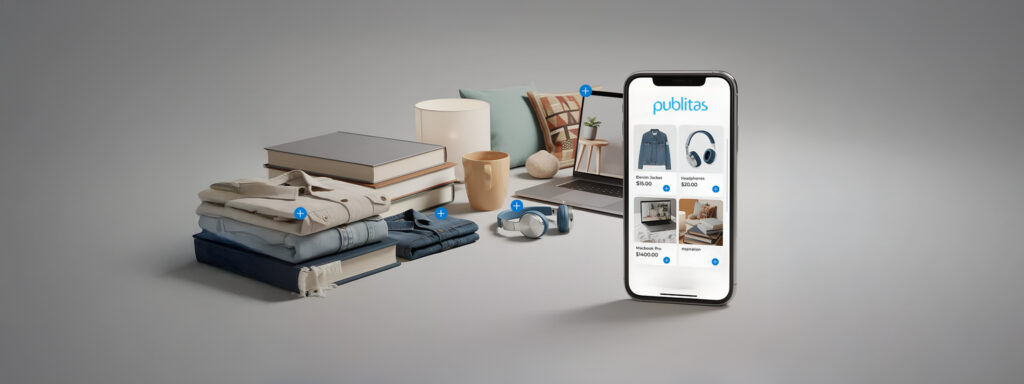
- Product overlays with pricing, availability, and specifications.
- Embedded video for contextual product demonstration.
- Shoppable CTAs that reduce steps between browsing and product detail pages.
Step 4: Build a Clear Path From Inspiration to Purchase
Discovery happens in the content. Conversion happens on the product page. The catalog’s job is to connect the two without friction. Every product should have a clear, single next step. Options that work across catalog formats:
- A product detail page link for shoppers still evaluating.
- An add-to-cart action for shoppers ready to buy.
- A wishlist option for shoppers building consideration sets.
Step 5: Make It Measurable (This Is Where Most Catalogs Fail)
A catalog without analytics is a catalog that can’t improve. Digital product catalog design should include tracking for:
- Product views and session depth.
- Click-through rates to product pages.
- Wishlist and add-to-cart actions.
- Downstream conversion and revenue attribution.
Without this data, every subsequent edition is a guess. With it, teams identify which sections drive engagement, which products are being overlooked, and where shoppers drop off.
Step 6: Align Your Catalog With Campaigns, Not as a Standalone Asset
Catalogs that operate independently of campaign calendars lose reach and relevance.
When catalog content is integrated into active campaign flows, the impact compounds. Specifically:
- Promotional windows: Catalog content mapped to active offers reaches shoppers at higher intent moments.
- Seasonal moments: Timely catalog deployment increases relevance and open rates.
- Audience segments: Targeted distribution via email, social, and affiliate channels improves click-through precision.
What Changes When You Get It Right
Higher Product Visibility Without Increasing Traffic
Better engaging product catalog design showcases more of the range to each visitor. The result is more purchase opportunities per session without additional acquisition spend.
More products seen means more products considered, and more conversion entry points at no extra cost.
Improved Conversion From Discovery-Driven Users
Shoppers who arrive without explicit purchase intent convert, but only when content guides them effectively.
They can make unplanned purchases when compelling content directs their attention – a conversion opportunity most standard ecommerce pages aren’t structured to capture.
Stronger Campaign Performance
Catalogs aligned with campaign timing consistently outperform standalone deployments.
Capitol Lighting saw CTR jump from 0.81% to 2.05% between their first and second catalog, a direct result of applying data-informed product catalog best practices to content structure and product placement.
Longer Sessions and Deeper Interaction
When shoppers can explore products, view contextual detail, and navigate by interest rather than scrolling linearly, session depth increases.
Longer sessions correlate directly with higher conversion rates, and interactive catalogs are structurally better positioned to hold attention than static formats.
A Scalable Merchandising System (Not a One-Off Asset)
A catalog built on a live product feed, with reusable templates and performance tracking, becomes a repeatable system rather than a production event:
- Design time drops as templates replace manual layout work.
- Update cycles accelerate with automated product feed integration.
- Each edition is informed by the behavioral data of the previous one.
Where Most Teams Get Stuck (And How to Avoid It)
Treating Catalogs Like Static Content
The most consistent pattern in underperforming catalogs: built once, published without a feedback loop. When every catalog change is expensive, teams test less and adapt more slowly – and the catalog falls behind the pace of the business.
The fix is building iteration into the process from the start, not treating each edition as a standalone project.
Over-Prioritizing Visuals Over Usability
Visual quality matters, but it doesn’t compensate for poor navigation.
A catalog that looks polished but buries products behind rigid page structures, or fails to load efficiently on mobile will underperform regardless of creative quality.
Usability issues to audit before launch:
- Mobile load speed and tap target sizing.
- Navigation clarity and section labeling.
- CTA visibility and placement across device types.
Disconnect Between Marketing and Ecommerce Teams
Catalogs sit at the intersection of brand, merchandising, and ecommerce. When those teams operate in silos, with marketing producing the catalog independently of ecommerce performance data; the result is a catalog optimized for aesthetics rather than conversion.
Key alignment points before production starts:
- Agree on the KPIs the catalog is expected to move.
- Confirm which ecommerce data informs product selection and placement.
- Define how catalog performance feeds back into the next campaign cycle.
Turning Your Catalog Into a Performance Channel
Think Beyond the Website
A catalog distributed only through a website reaches a fraction of its potential audience. Extending distribution puts catalog content in front of shoppers at different points in the purchase journey:
- Email: Reaches existing customers and high-intent subscribers at low cost.
- Social channels: Expands reach into discovery-stage audiences.
- Affiliate networks: Drives qualified traffic from category-relevant platforms.
- QR-linked in-store placements: Connects physical retail touchpoints to digital catalog content.
Continuously Optimize Based on Behavior
Each catalog edition generates data that can be used to improve the next. The questions worth asking after every publication cycle:
- Which products generated the most clicks?
- Which sections had high views but low interaction?
- Where did sessions end, and why?
Connect Catalogs to Your Broader Ecommerce Strategy
A digital product catalog performs best when treated as part of the ecommerce funnel rather than a separate marketing asset.
Platforms like Publitas are built for this integration – connecting product feeds, ecommerce systems, and analytics into a single publishing workflow so catalog content stays accurate, shoppable, and measurable across every channel it reaches.
Next Steps
For teams looking to improve catalog performance, the starting point is always the same: establish a baseline. Pull session data, click-through rates, and product view metrics from the current catalog before making structural changes.
From there, test one variable at a time: product grouping logic, CTA placement, interactivity layers, and track the downstream effect. Catalogs that improve consistently are built on iteration, not overhaul.
Publitas provides the publishing infrastructure to make that iteration faster – connecting product feeds, ecommerce systems, and analytics into a single workflow so every edition is easier to produce, more accurate, and measurable from day one.
FAQs
What Makes a Product Catalog Engaging in 2026?
Structure and usability. An engaging product catalog is built around how shoppers discover products – curated groupings, clear navigation, interactive elements, and a measurable path to purchase. Visuals support the experience, but they don’t drive it.
Are Digital Catalogs Better Than PDFs or Traditional Flipbooks?
For conversion purposes, yes. Static formats can’t update in real time, can’t track shopper behavior, and generate little actionable data. Digital product catalog design built on live product feeds and interactive elements supports discovery, accurate pricing, and measurable performance; outcomes static formats can’t deliver.
How Do Product Catalogs Improve Conversion Rates?
By serving the discovery phase. Shoppers who aren’t yet in purchase mode can be guided toward specific products when catalog structure, shoppable CTAs, and product overlays reduce friction between browsing and buying.
Can Product Catalogs Be Used for Marketing Campaigns?
Yes, and they perform best when built for it from the start. Catalogs mapped to seasonal moments or promotional windows and distributed across email, social, and affiliate channels consistently outperform standalone deployments, delivering measurable reach and attribution across the campaign.
What Metrics Should I Track for Catalog Performance?
The core set for any interactive product catalog: opens, session duration, product views per visit, click-through rate to product pages, add-to-cart actions, and downstream conversion. For teams running A/B tests, cover performance and product placement data add further precision.
Enjoyed this article?
Get the next one straight to your inbox.